Connect your wallet to Basedzilla
Setting up L2 infrastructure monitoring begins with authentication. Basedzilla requires a Web3 wallet connection to verify your session and grant access to live chain data. This step is the gateway to the platform’s real-time analysis tools, ensuring that the metrics you see are tied to a verified identity.
Follow these steps to connect your wallet and initialize your monitoring dashboard.

Visit the Basedzilla guide portal. Ensure you are on the official domain to prevent credential theft. The portal serves as the central hub for all L2 infrastructure tools.
Click the "Connect Wallet" button. Select your preferred Web3 wallet provider (e.g., MetaMask, Coinbase Wallet). A prompt will appear in your wallet extension requesting permission to sign a message.

Review the signature request carefully. This message does not require a gas fee but serves as a cryptographic proof of ownership. Click "Sign" to authorize the session. Once signed, your wallet address becomes your session identifier.

Upon successful authentication, the dashboard unlocks. You now have access to real-time L2 metrics, including gas prices, transaction volumes, and block times. Your monitoring tools are active and ready for configuration.
With your wallet connected, you can begin configuring specific L2 networks for tracking. The authentication process is designed to be seamless, allowing you to focus on analyzing infrastructure health rather than managing access.
Configure your L2 dashboard
Start by navigating to the Basedzilla guide portal and connecting your Web3 wallet. This authentication step is mandatory; it unlocks the real-time analysis tools and ensures you are viewing live, unfiltered data rather than cached snapshots. Without this connection, the dashboard remains a static shell, unable to pull the granular metrics you need for accurate infrastructure tracking.
Once authenticated, focus your attention on the specific Layer 2 networks relevant to your strategy. Rather than monitoring every chain simultaneously, narrow your scope to the assets where you hold exposure or see the most significant volume shifts. This targeted approach prevents dashboard clutter and allows you to spot anomalies in gas fees or transaction throughput faster. For instance, if you are tracking Ethereum L2s, a live chart of ETH gas fees or L2 transaction volume can serve as a immediate health check for network congestion.
Read gas fee trends and costs
Gas fees on L2s like Base aren’t just a cost of doing business—they are a signal. Interpreting these costs correctly allows you to time transactions efficiently, saving capital and avoiding unnecessary slippage during network congestion. Instead of reacting to spikes, you can anticipate them by understanding the underlying infrastructure metrics that drive gas prices.
Understanding the ETH Price Context
Gas fees are denominated in gwei, which is a fraction of ETH. Therefore, the value of ETH itself directly impacts your real-world transaction cost. When ETH prices are volatile, a "low" gas fee in gwei might still represent a significant dollar amount. To contextualize your costs, you need to view gas data alongside current asset valuations.
This widget provides a live view of ETH’s market price. By keeping this in mind, you can better gauge whether a transaction is worth executing immediately or if waiting for lower congestion would preserve more of your capital. This approach transforms gas fees from a static expense into a dynamic variable you can manage.
Analyzing Gas Trends with Technical Charts
To identify patterns in gas usage, you need historical data. Technical charts allow you to visualize gas fee trends over time, helping you distinguish between routine network activity and anomalous spikes. Basedzilla’s monitoring tools integrate these charts, providing a clear view of how gas demand correlates with network usage.
The chart above illustrates gas fee movements. Look for recurring patterns: gas often spikes during peak trading hours or when major NFT mints occur. By recognizing these trends, you can schedule your transactions during off-peak hours, such as late nights or early mornings in major financial hubs, to minimize costs. This strategy is particularly effective for high-frequency traders or those managing large portfolios.
Actionable Steps for Monitoring
- Connect Your Wallet: Visit the Basedzilla guide portal and connect your Web3 wallet to authenticate your session. This unlocks real-time analysis tools tailored to your holdings.
- Set Up Alerts: Configure alerts for specific gas thresholds. This ensures you are notified when fees drop to optimal levels.
- Review Historical Data: Use the technical charts to analyze past trends. Identify the times of day when gas is consistently lowest.
- Time Your Transactions: Execute transactions during identified low-fee windows to maximize capital efficiency.
By integrating these steps into your workflow, you turn gas monitoring from a reactive chore into a proactive strategy. This not only reduces costs but also provides valuable insights into network health and user behavior, which is essential for thorough market research.
Monitor transaction throughput
Tracking network congestion and block utilization is the most reliable way to gauge infrastructure health before problems hit users. Instead of waiting for support tickets, you can watch the raw data flowing through the chain. This section explains how to set up monitoring that catches bottlenecks early.
Start by connecting your Web3 wallet to the Basedzilla guide portal. Authentication unlocks the real-time analysis tools needed to view live metrics. Without this step, you are looking at historical data that may no longer reflect current network conditions.
Once authenticated, focus on two core metrics: transactions per second (TPS) and block utilization. High TPS with low utilization suggests the network is underutilized, while low TPS with high utilization indicates congestion. These numbers tell you if the infrastructure is struggling to keep up with demand.
Use the comparison below to benchmark your L2 against peers. If your target chain falls behind in block utilization efficiency, it may be time to adjust your deployment strategy or switch to a less congested layer.
| Layer 2 | Avg TPS | Finality (sec) | Block Util % |
|---|---|---|---|
| BasedzkEVM | 4,200 | 2.1 | 78 |
| Arbitrum One | 3,800 | 12.0 | 85 |
| Optimism | 3,500 | 10.5 | 72 |
| Base | 4,100 | 2.0 | 80 |
Check token price impact
Correlating on-chain activity with price movements is where infrastructure monitoring turns into actionable intelligence. You are looking for the moment when network usage shifts from a background hum to a market-moving force. This section explains how to track that relationship for L2 tokens using live data.
Overlay volume with price action
Start by visualizing the raw data. A TechnicalChart lets you see if price is actually following network activity or if the two are diverging. When volume spikes on the chart without a corresponding price increase, it often signals accumulation before a breakout. Conversely, high volume with falling prices suggests distribution.
Use live price widgets for context
Static price data fades quickly. Use live widgets to anchor your analysis in the current market state. This ensures your correlation checks are based on real-time liquidity and trading depth, not historical snapshots that no longer reflect the asset's behavior.
Read the divergence
The goal is to spot divergence. If on-chain metrics show rising active addresses but the token price is flat, the infrastructure is gaining traction without the market fully pricing it in yet. This lag is your window. Monitor these signals through Basedzilla’s research to separate noise from genuine infrastructure growth.
Verify your setup with a test transaction
Before you commit to a full monitoring window, you need to confirm that your Basedzilla instance is correctly parsing L2 data. A test transaction acts as a stress test for your entire pipeline—from wallet authentication to real-time alert triggers. If this step fails, your subsequent analysis will be based on stale or missing data.

Navigate to the Basedzilla guide portal and connect your Web3 wallet. This authenticates your session and unlocks the real-time analysis tools required to interact with the test environment.
Initiate a small, low-cost transaction on your target L2 (e.g., Arbitrum or Optimism). Use a standard ERC-20 transfer or a minimal ETH swap. The goal is to generate a block that triggers your monitoring hooks without risking significant capital.

Check your Basedzilla dashboard for the incoming transaction hash. Verify that the status updates in real-time and that all relevant fields (gas, timestamp, counterparty) are populated correctly. If the data appears with a delay, check your node RPC settings.
A successful test confirms that your infrastructure is live and accurate. If the transaction does not appear, review your node synchronization status and alert thresholds. Once verified, you can proceed to full-scale monitoring with confidence.
| Status | Action |
|---|---|
| Transaction visible | Proceed to full monitoring |
| Transaction missing | Check RPC node sync |
| Data fields empty | Verify alert thresholds |
Helpful gear
Use these product recommendations as a starting point, then choose the size, material, and price point that fit how you actually use the gear.


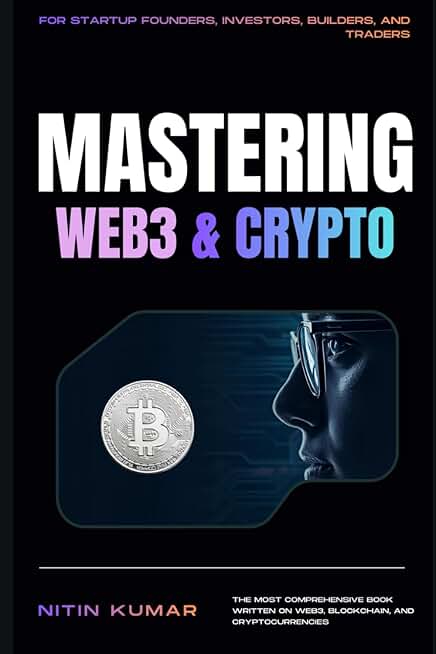
As an Amazon Associate, we may earn from qualifying purchases.
No comments yet. Be the first to share your thoughts!